Creating a designated charging station for your devices can simplify daily routines, reduce clutter, and make it easier to keep all your gadgets powered up and ready to go. Whether you have smartphones, tablets, smartwatches, or wireless earbuds, setting up a charging station provides a central spot to charge multiple devices safely and neatly. In this guide, we’ll walk you through the essential steps to set up a functional and attractive charging station at home.
Why Set Up a Charging Station?
Before diving into the setup, it’s helpful to understand the benefits of having a charging station:
– Organization: Avoid tangled cords and misplaced chargers.
– Efficiency: Charge multiple devices simultaneously.
– Safety: Reduce risks associated with overloading outlets.
– Convenience: Keep devices in one central, easy-to-access place.
Step 1: Choose the Right Location
The first step in creating your charging station is finding a spot that fits your lifestyle and space:
– Accessibility: Pick a location everyone in the household can easily access, such as a kitchen counter, living room side table, or bedroom nightstand.
– Power source: Make sure the area has nearby electrical outlets.
– Ventilation: Avoid cramped spaces to prevent overheating of devices.
– Visibility: A visible spot encourages regular device charging.
Step 2: Decide What Devices to Include
Consider the devices you use daily and want to charge simultaneously. Common devices include:
– Smartphones
– Tablets
– Smartwatches and fitness trackers
– Wireless earbuds or headphones
– E-readers
– Portable gaming consoles
Listing your devices helps you estimate how many charging ports or outlets you’ll need.
Step 3: Select Charging Equipment
Your choice of charging equipment will depend on the devices you want to power and your setup preferences.
Charging Stations and Hubs
– Multi-port USB chargers: These chargers can power several devices simultaneously with multiple USB ports.
– Wireless charging pads: Ideal for devices that support Qi wireless charging.
– Combination hubs: Some stations offer both wired USB ports and wireless pads in one unit.
Cables and Adapters
– Use quality cables certified for your devices.
– Consider cables of appropriate length for your setup to reduce clutter.
– Include adapters if your devices require different connectors (e.g., USB-C, Lightning).
Power Strips and Surge Protectors
– Use a power strip with surge protection to safeguard devices from power spikes.
– Ensure the power strip has enough outlets to accommodate your charging equipment.
Step 4: Organize Your Cables
One of the challenges is managing cables to keep the area tidy.
Tips for Cable Management
– Cable clips: Attach clips to the edge of a table or charging station to keep cables in place.
– Cable sleeves: Bundle multiple cords into a single sleeve for a neat look.
– Cord organizers: Use Velcro strips or twist ties to shorten and secure cables.
– Label cables: Add small labels to help quickly identify each cable.
Step 5: Assemble and Set Up Your Charging Station
Once you have selected your location, devices, and equipment, it’s time to put everything together.
- Place your charging station or hub in the chosen spot.
- Plug the charging station into the power strip or outlet.
- Connect your devices’ cables to the charging ports.
- Arrange devices on the station, ensuring enough space to avoid overheating.
- Use cable organizers to tidy the cords.
- Test all devices to confirm they charge properly.
Step 6: Personalize Your Charging Station
Make your charging area pleasant and tailored to your taste.
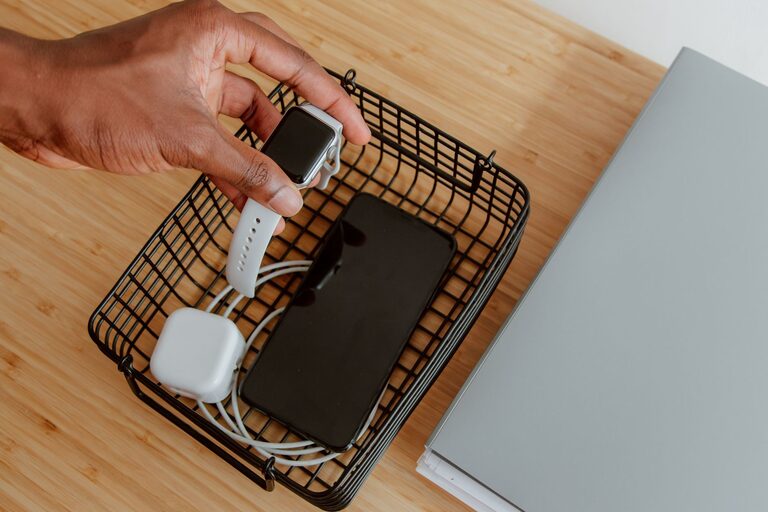
– Add a small tray or container to hold accessories like earbuds or charging adapters.
– Incorporate decorative elements such as a small plant or photo frame.
– Choose a charging station design that matches your home decor.
Additional Tips for Maintaining Your Charging Station
– Regularly check cables for wear and replace if damaged.
– Avoid overloading outlets by monitoring how many devices you plug in.
– Keep the station clean by wiping dust and debris.
– Update charging equipment as new devices or standards come out.
Conclusion
Setting up a dedicated charging station for your devices is a simple way to enhance organization, safety, and convenience at home. By carefully choosing your location, equipment, and cable management tools, you can create a charging hub that meets all your needs and looks great. With a little planning, your devices will always be ready for use, and your space clutter-free.